
Jedes geschlossene Ticket wird automatisch gespeichert – nachlesbar im Dashboard, so wie es in Discord aussah.
Every closed ticket is saved automatically – readable in the dashboard, just as it looked in Discord.
Ein Transcript entsteht automatisch, sobald ein Ticket mit „🔒 Ticket schließen“ geschlossen und die Rückfrage bestätigt wird. Wer ein Ticket schließen darf, löst damit also auch das Transcript aus – unabhängig vom Haken „Transkripte erstellen“.
Zusätzlich kann dein Team mit /ticket transcript einen Zwischenstand speichern, während das Ticket offen bleibt. Dafür braucht es eine Rolle mit „Transkripte erstellen“ – siehe Rollen & Rechte.
/ticket delete löscht,/ticket transcript.Kann der Bot das Transcript beim Schließen nicht erstellen, löscht er den Kanal nicht: Das Ticket bleibt offen, und du kannst es noch einmal versuchen. Mehr unter Ein Ticket schließen.
A transcript is created automatically as soon as a ticket is closed with “🔒 Close Ticket” and the confirmation is accepted. So whoever may close a ticket also triggers its transcript – regardless of the “Create Transcripts” tick.
In addition, your team can save an interim transcript with /ticket transcript while the ticket stays open. This needs a role with “Create Transcripts” – see Roles & permissions.
/ticket delete,/ticket transcript.If the bot cannot create the transcript when a ticket is closed, it does not delete the channel: the ticket stays open and you can try again. More under Closing a ticket.
Transcripts findest du je Panel: Dashboard → „Ticket System“ → auf der Karte des Panels „Transcripts“.
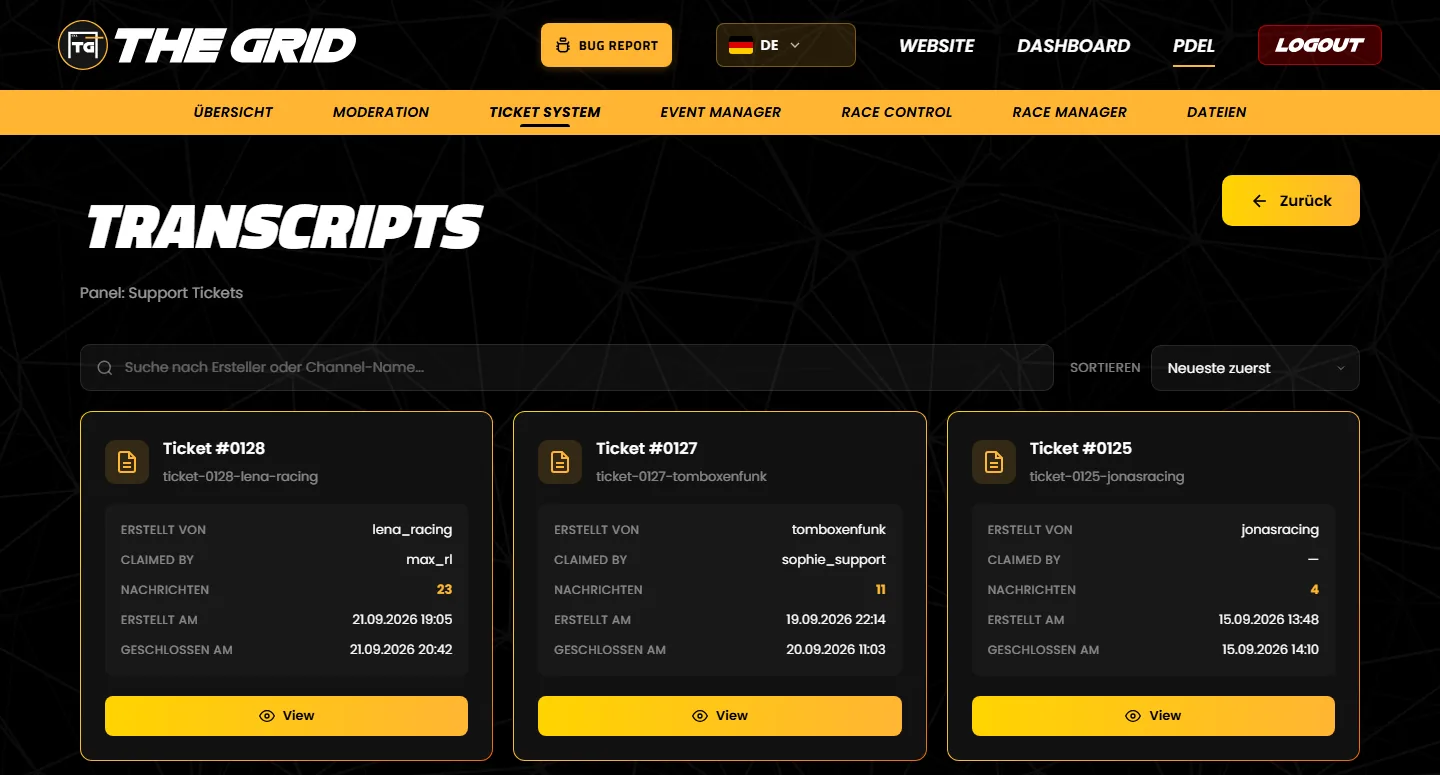
/ticket transcript gespeichert, der Kanal blieb offen. Statt „Geschlossen am“ steht dann „Gespeichert am (Kanal blieb offen)“.You find transcripts per panel: dashboard → “Ticket System” → “Transcripts” on the panel's card. The transcripts page is currently only available in German.
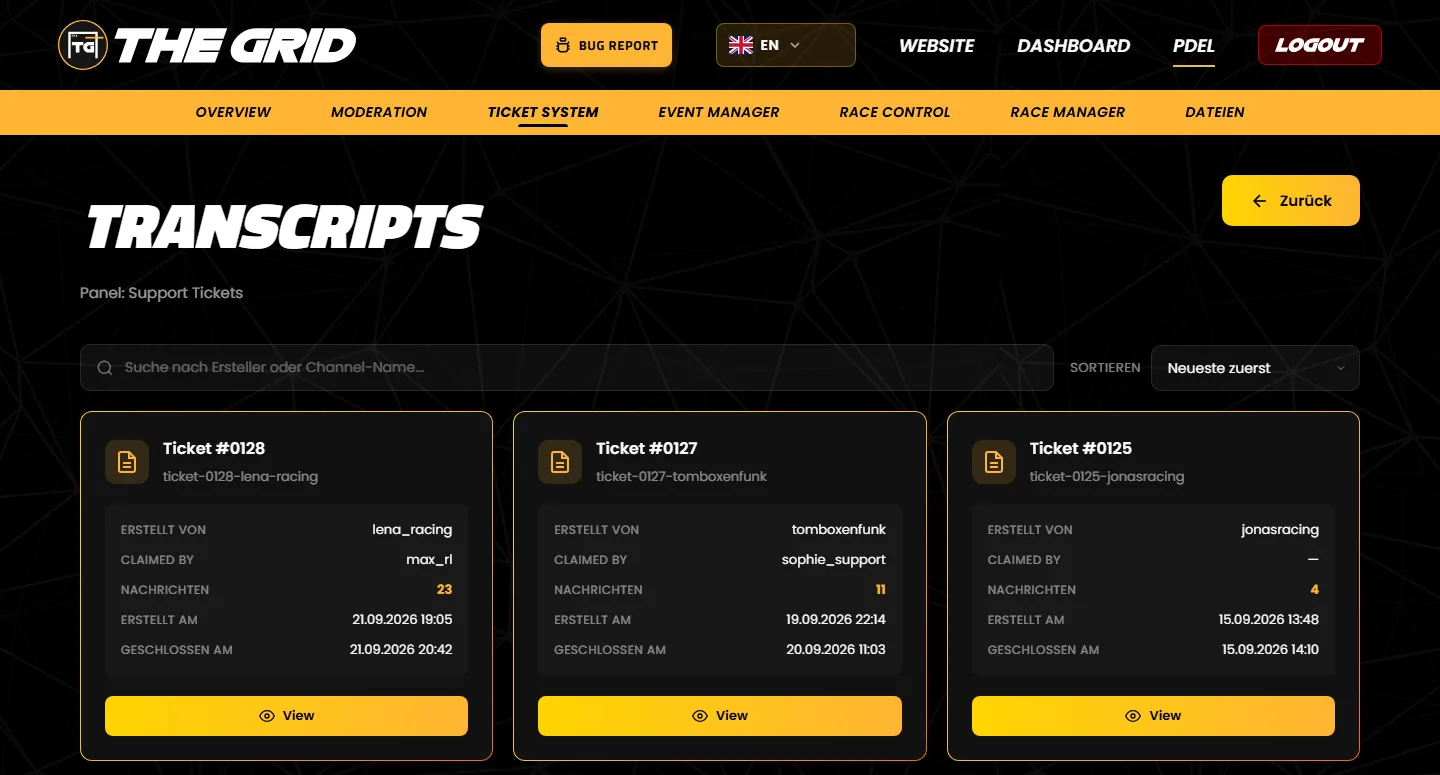
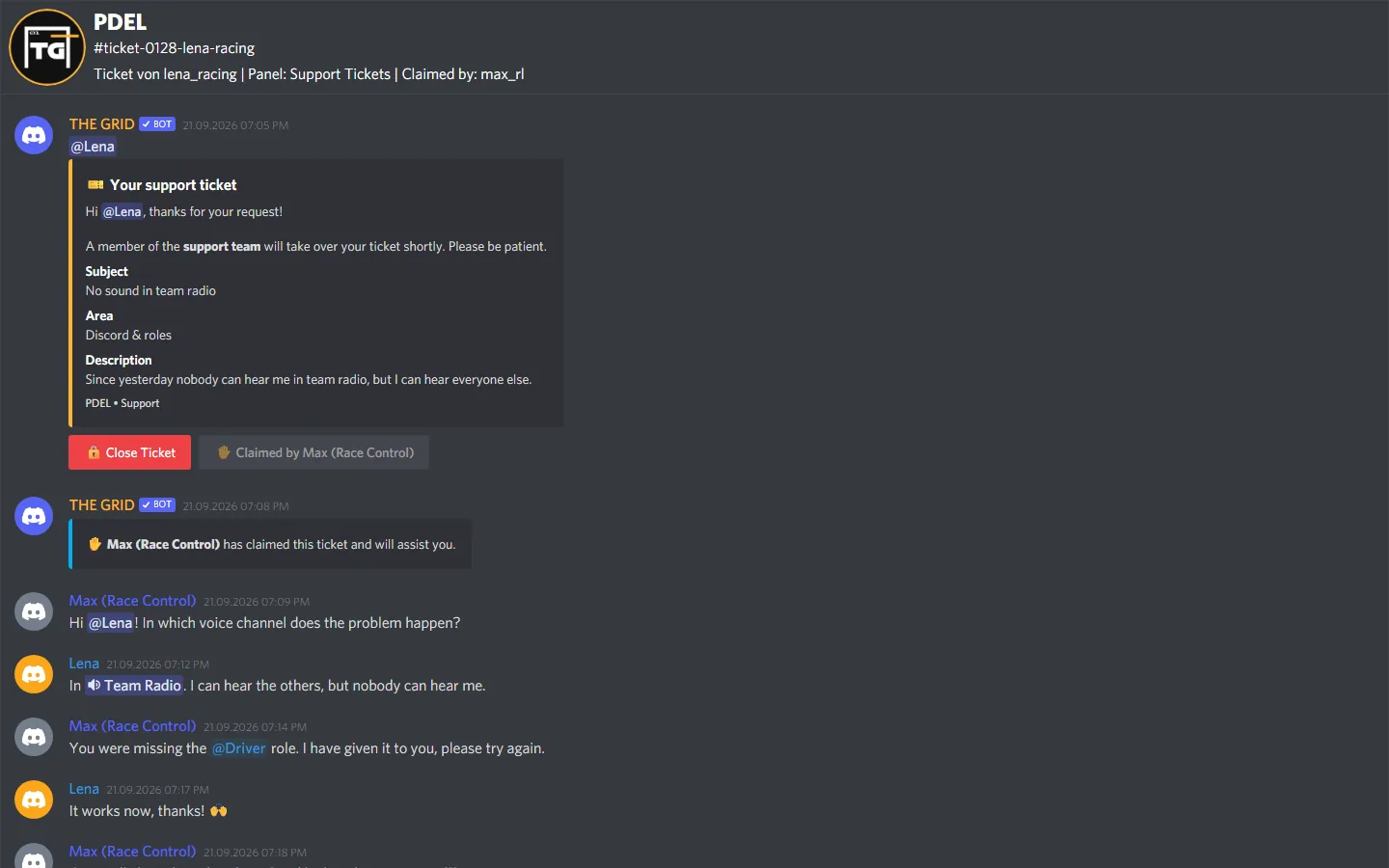
/ticket transcript and the channel stayed open. Instead of “Geschlossen am” the card then shows “Gespeichert am (Kanal blieb offen)” (saved on, channel stayed open).Ein Transcript ist eine Kopie des ganzen Ticket-Kanals als Webseite im Discord-Stil: oben Server, Kanal und Kanalthema, darunter alle Nachrichten mit Profilbild, Name, Rollenfarbe und Uhrzeit.
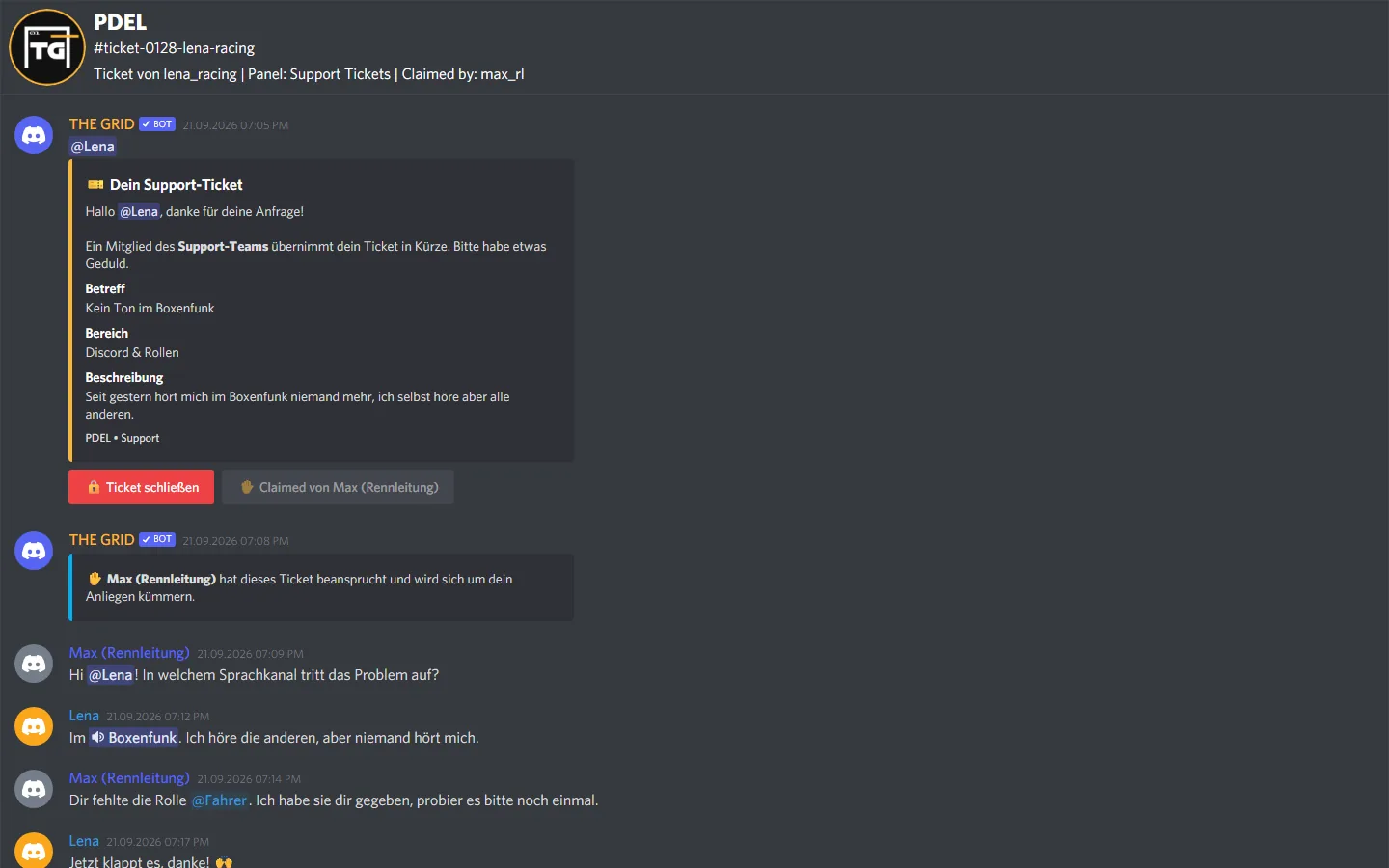
A transcript is a copy of the whole ticket channel as a web page in Discord style: server, channel and channel topic at the top, below that every message with avatar, name, role colour and time.
Tritt unserem Discord-Server bei – das Team hilft dir bei der Einrichtung gerne weiter.
Join our Discord server – the team is happy to help you with the setup.