
Deine Rennleitung in Discord: Fahrer melden Vorfälle, fechten Strafen an oder stellen Fragen – per Klick in einem privaten Kanal mit den Stewards. Beteiligte Fahrer holt der Bot auf Wunsch gleich mit dazu.
Your race control in Discord: drivers report incidents, appeal penalties or ask questions – in one click, in a private channel with your stewards. If you like, the bot brings the drivers involved into the channel right away.
Race Control ist das Steward-System von THE GRID. Im Dashboard gestaltest du eine Nachricht mit Buttons oder einem Auswahlmenü – das Panel. Der Bot postet sie in einen Kanal, den deine Fahrer sehen, zum Beispiel #rennleitung.
Klickt ein Fahrer etwa auf „🚨 Vorfall melden“, fragt Discord auf Wunsch zuerst die wichtigsten Angaben ab: Wer war beteiligt, in welchem Rennen, was ist passiert? Danach legt der Bot einen privaten Kanal an, den nur der Fahrer, deine Rennleitung und – wenn du es so einstellst – die beteiligten Fahrer sehen. Standardmäßig pingt er die Rennleitung dabei an.
Im Kanal klären die Stewards den Fall. Ist die Entscheidung gefallen, wird das RC geschlossen: Der Bot speichert den kompletten Verlauf als Transcript und löscht den Kanal.
Race control is THE GRID's steward system. In the dashboard you design a message with buttons or a select menu – the panel. The bot posts it in a channel your drivers can see, for example #race-control.
When a driver clicks, say, “🚨 Report incident”, Discord can first ask for the key details: who was involved, in which race, what happened? Then the bot creates a private channel that only the driver, your stewards and – if you set it up that way – the drivers involved can see. By default it pings your stewards at the same time.
The stewards handle the case in that channel. Once the decision is made, the RC is closed: the bot saves the whole conversation as a transcript and deletes the channel.
Race Control funktioniert im Kern wie das Ticket-System: Panel, Formular, privater Kanal, Claim und Transcript. Beide laufen völlig getrennt – mit eigenen Panels, Kanälen, Nummern und Transcripts – und lassen sich gleichzeitig nutzen.
| Race Control | Ticket-System | |
|---|---|---|
| Gedacht für | Vorfallmeldungen, Proteste, Einsprüche gegen Strafen, Fragen an die Rennleitung | Allgemeiner Support, Bewerbungen, Anfragen aller Art |
| Rollen beim Öffnen anpingen | ✅ „Moderatoren beim Öffnen erwähnen“ | ✅ „Moderator bei Öffnung pingen“ |
| Beteiligte per Formular in den Kanal holen | ✅ „Ausgewählte Nutzer zum Kanal hinzufügen“ | ❌ – Mitglieder holt ihr mit /ticket add dazu |
| Befehle im Kanal (hinzufügen, entfernen, Transcript, löschen) | ✅ /rc | ✅ /ticket |
| Anzahl der Panels | je nach Tarif, siehe unten | unbegrenzt |
| Transcripts | unbegrenzt | unbegrenzt |
Faustregel: Alles, was die Rennleitung entscheidet, gehört in Race Control. Alles andere – Technik, Rollen, Bewerbungen – ins Ticket-System.
At its core, race control works like the ticket system: panel, form, private channel, claiming and transcript. The two run completely separately – with their own panels, channels, numbers and transcripts – and can be used side by side.
| Race control | Ticket system | |
|---|---|---|
| Meant for | Incident reports, protests, appeals against penalties, questions for race control | General support, applications, requests of any kind |
| Ping roles when opened | ✅ “Mention moderators on open” | ✅ “Ping moderator on open” |
| Bring the drivers involved into the channel via the form | ✅ “Add selected users to the channel” | ❌ – add members with /ticket add |
| Commands in the channel (add, remove, transcript, delete) | ✅ /rc | ✅ /ticket |
| Number of panels | depends on your plan, see below | unlimited |
| Transcripts | unlimited | unlimited |
Rule of thumb: anything your stewards decide belongs in race control. Everything else – technical issues, roles, applications – goes into the ticket system.
| Begriff | Bedeutung |
|---|---|
| Panel | Die Nachricht mit Buttons oder Auswahlmenü im Panel-Kanal – und alle Einstellungen dahinter. Wie viele Panels ein Server haben darf, hängt vom Tarif ab. |
| Race Control (RC) | Ein einzelner Vorgang, etwa eine Vorfallmeldung, mit eigenem privaten Kanal. Dashboard und Bot sprechen von „Race Control“ oder kurz „RC“ – zum Beispiel „RC schließen“. |
| Interaktion | Jeder Button und jede einzelne Option eines Auswahlmenüs. Pro Interaktion legst du ein eigenes Formular, eine eigene Willkommensnachricht und die zuständigen Rollen fest. |
| Formular (Modal) | Ein Fenster in Discord, das vor dem Öffnen Angaben abfragt – etwa den beteiligten Fahrer, das Rennen und den Hergang. |
| RC-Kanal | Der private Text-Kanal, den der Bot für jedes RC anlegt. |
| Beteiligte | Mitglieder, die der Meldende im Formular auswählt. Mit der Einstellung „Ausgewählte Nutzer zum Kanal hinzufügen“ bekommen sie Zugang zum RC-Kanal und können Stellung nehmen. |
| Willkommensnachricht | Die erste Nachricht des Bots im RC-Kanal, mit den Buttons „🔒 RC schließen“ und „✋ RC beanspruchen“. |
| Rennleitungs-Rolle | Eine Discord-Rolle, die du im Panel einträgst (im Editor „Rollen mit Zugriff“). Ihre Mitglieder sehen die RCs, werden beim Öffnen erwähnt und dürfen – je nach Haken – schließen oder übernehmen. |
| Claim (beanspruchen) | Ein Steward übernimmt ein RC, damit alle sehen, wer sich kümmert. |
| Transcript | Die gespeicherte Kopie des gesamten Verlaufs. Du rufst sie im Dashboard auf. |
| Log-Kanal | Ein optionaler Kanal, in dem der Bot neue und geschlossene RCs meldet. |
| Term | Meaning |
|---|---|
| Panel | The message with buttons or a select menu in the panel channel – plus all the settings behind it. How many panels a server may have depends on its plan. |
| Race control (RC) | A single case, such as an incident report, with its own private channel. The dashboard and the bot call it “Race Control” or “RC” for short – for example “Close RC”. |
| Interaction | Every button and every single option of a select menu. For each interaction you set up its own form, its own welcome message and the roles in charge. |
| Form (modal) | A window in Discord that asks for details before the RC is opened – such as the driver involved, the race and what happened. |
| RC channel | The private text channel the bot creates for each RC. |
| Drivers involved | Members the reporting driver picks in the form. With the setting “Add selected users to the channel” they get access to the RC channel and can give their side. |
| Welcome message | The bot's first message in the RC channel, with the buttons “🔒 Close RC” and “✋ Claim RC”. |
| Steward role | A Discord role you add to the panel (“Roles with Access” in the editor). Its members see the RCs, are mentioned when one is opened and – depending on the ticks you set – may close or claim them. |
| Claim | A steward takes over an RC so everyone can see who is handling it. |
| Transcript | The saved copy of the whole conversation. You open it in the dashboard. |
| Log channel | An optional channel where the bot reports new and closed RCs. |
#rennleitung.#race-control.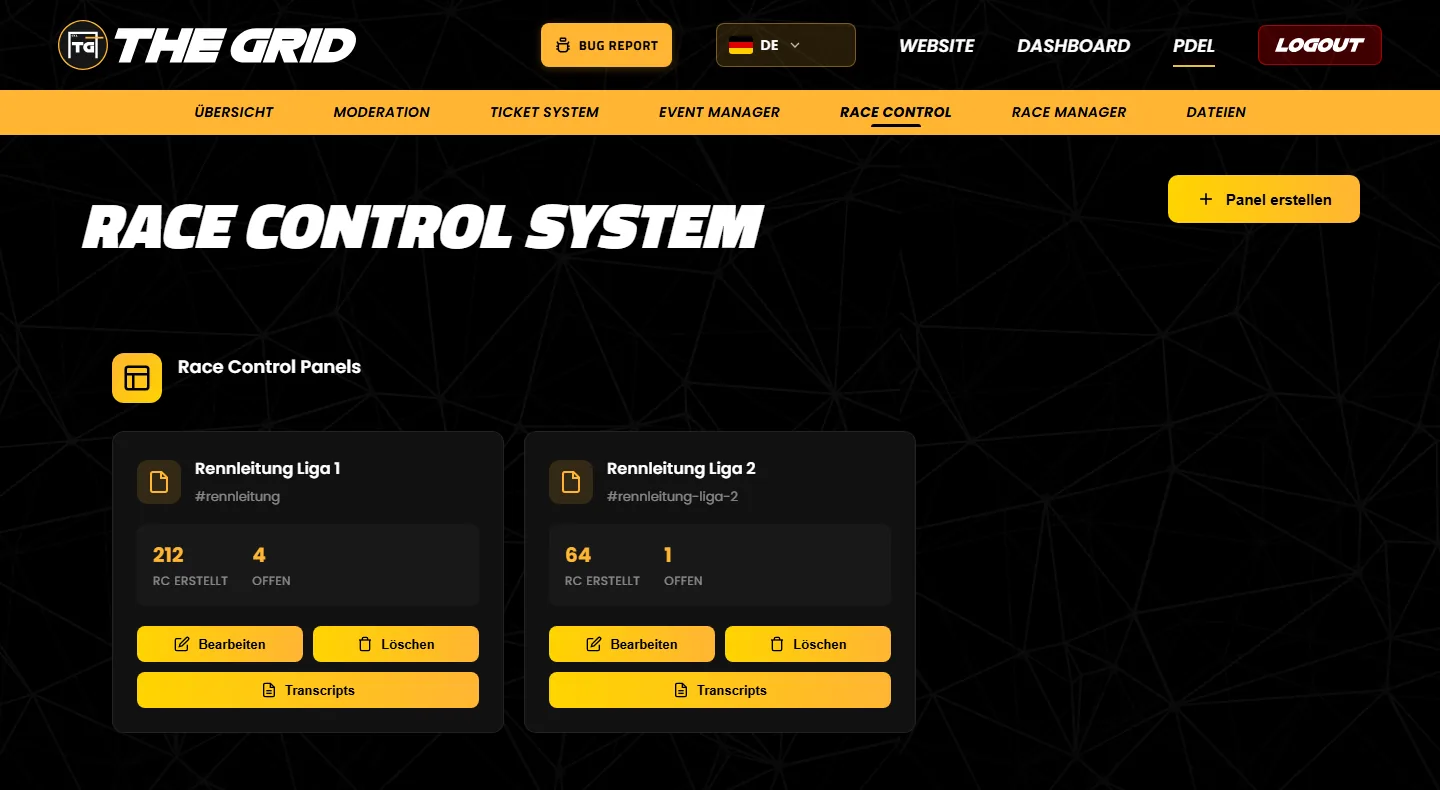
Das Dashboard zeigt nur diese Zahlen. Geöffnet, übernommen und geschlossen werden RCs in Discord.
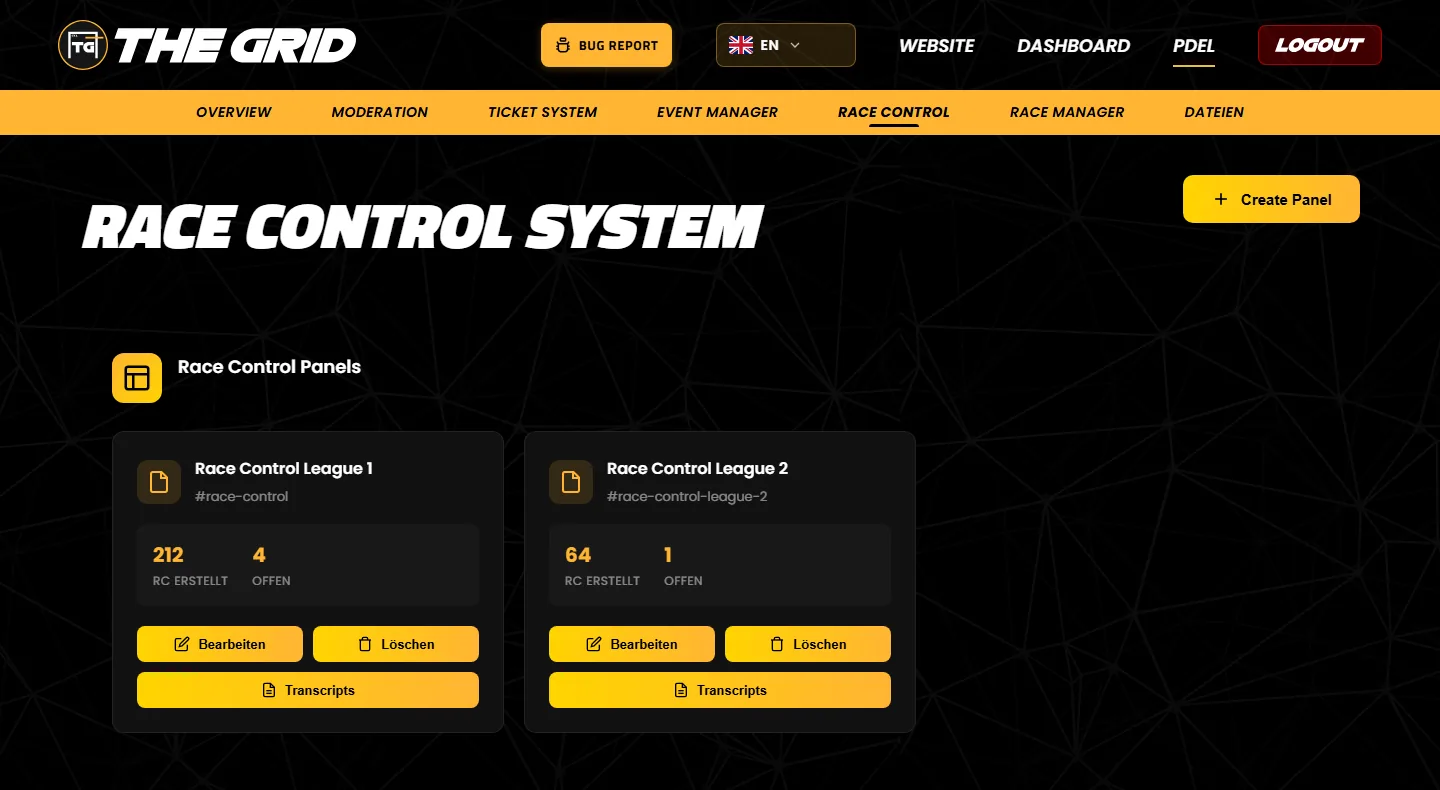
The labels on the cards are currently only shown in German:
The dashboard only shows these numbers. RCs are opened, claimed and closed in Discord.
Die Zahl der Race-Control-Panels hängt vom Tarif deines Servers ab:
| Tarif | Race-Control-Panels |
|---|---|
| Free | 1 |
| Lite | 1 |
| Premium | 3 |
| Plus | 5 |
| Lifetime und Lifetime+ | 100 |
Tipp: Ein Panel kann mehrere Buttons oder ein Auswahlmenü mit bis zu 25 Optionen haben – etwa „Vorfall melden“, „Strafe anfechten“ und „Frage an die Rennleitung“. Mit „Spezifische Interaktionen“ sieht jedes Team trotzdem nur seine eigenen Fälle. Ein eigenes Panel brauchst du erst, wenn RCs in einer anderen Kategorie landen oder anders benannt werden sollen.
The number of race control panels depends on your server's plan:
| Plan | Race control panels |
|---|---|
| Free | 1 |
| Lite | 1 |
| Premium | 3 |
| Plus | 5 |
| Lifetime and Lifetime+ | 100 |
Tip: one panel can have several buttons or a select menu with up to 25 options – for example “Report incident”, “Appeal a penalty” and “Ask race control”. With “Specific Interactions” each team still only sees its own cases. You only need a separate panel if RCs should end up in a different category or be named differently.
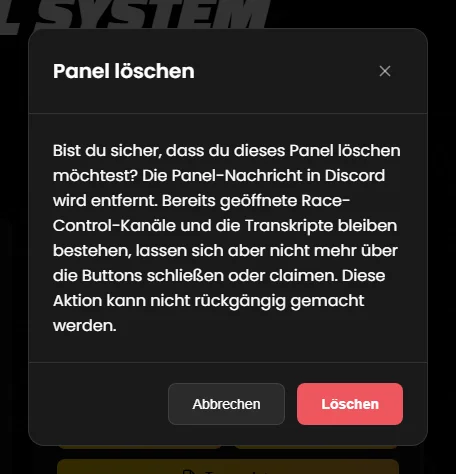
Beim Löschen passiert Folgendes:
/rc delete löschen können solche RCs nur noch Mitglieder mit der Discord-Berechtigung „Kanäle verwalten“.Tipp: Schließe vor dem Löschen alle offenen RCs per Button. Setze ein Lesezeichen auf die Transcript-Seite des Panels oder sichere wichtige Transcripts (Transcript öffnen, dann im Browser „Seite speichern unter“). Willst du nur die Nachricht erneuern, musst du nicht löschen – siehe Panel bearbeiten.
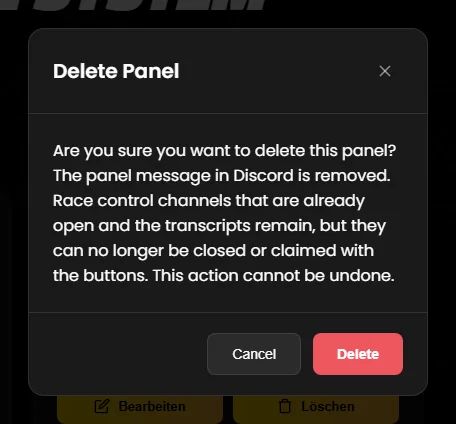
When you delete a panel:
/rc delete.Tip: before deleting, close all open RCs with the button. Bookmark the panel's transcripts page or save important transcripts (open the transcript, then use “Save page as” in your browser). If you only want to refresh the message, you do not need to delete anything – see Editing a panel.
In etwa fünfzehn Minuten steht ein Panel, über das Fahrer Vorfälle melden – den beteiligten Fahrer holt der Bot gleich mit in den Kanal. Die Details zu jedem Schritt findest du im Panel-Editor.
#rennleitung für die Fahrer und eine Rolle „Rennleitung“ an. Optional: einen Kanal #rc-logs, den nur die Rennleitung sieht.#rennleitung) und die Race Control Kategorie („Race Control“). Beides ist Pflicht. Den Log-Kanal kannst du gleich mit eintragen.Testen: Melde einen Vorfall am besten mit einem zweiten Discord-Konto ohne Rennleitungs-Rolle und wähle ein drittes als beteiligten Fahrer. So siehst du genau, was deine Fahrer sehen.
In about fifteen minutes you have a panel where drivers report incidents – and the bot brings the driver involved into the channel right away. You will find the details of every step in the panel editor guide.
#race-control for your drivers and a role “Stewards”. Optionally, a channel #rc-logs that only your stewards can see.#race-control) and the Race Control Category (“Race Control”). Both are required. You can set the log channel here as well.Testing: report an incident with a second Discord account that has no steward role, and pick a third one as the driver involved. That way you see exactly what your drivers see.
Wer den Panel-Kanal sieht, kann ein RC öffnen. Wer das darf, steuerst du über die Kanal-Berechtigungen des Panel-Kanals in Discord.
Standardmäßig erwähnt der Bot bei jedem neuen RC die zuständigen Rollen. Abschalten kannst du das in Schritt 2.
Fahrer, die im Formular ausgewählt werden, bekommen auf Wunsch Zugang zum RC-Kanal und können direkt Stellung nehmen. Details
Löscht jemand einen RC-Kanal von Hand, entsteht kein Transcript. Das RC gilt dann einfach als geschlossen.
Ein geschlossenes RC lässt sich nicht wieder öffnen, sein Kanal ist gelöscht. Das Transcript bleibt im Dashboard.
Der Bot antwortet in der Hauptsprache deines Servers: Englisch, wenn in Discord Englisch eingestellt ist, sonst Deutsch. Mehr dazu
Mit /rc add, remove, transcript und delete verwaltet die Rennleitung offene RCs direkt im Kanal. Details
Free und Lite: 1 Panel, Premium: 3, Plus: 5, Lifetime: 100. RCs und Transcripts sind nicht begrenzt. Details
Anyone who can see the panel channel can open an RC. You control who that is with the channel permissions of the panel channel in Discord.
By default the bot mentions the roles in charge for every new RC. You can switch this off in step 2.
Drivers picked in the form can get access to the RC channel and give their side straight away. Details
If someone deletes an RC channel by hand, no transcript is created. The RC then simply counts as closed.
A closed RC cannot be reopened; its channel is deleted. The transcript stays in the dashboard.
The bot replies in your server's primary language: English if English is set in Discord, otherwise German. More
With /rc add, remove, transcript and delete your stewards manage open RCs right in the channel. Details
Free and Lite: 1 panel, Premium: 3, Plus: 5, Lifetime: 100. RCs and transcripts are not limited. Details
Alle sechs Schritte: Panel-Nachricht, Einstellungen, Formulare, Willkommensnachricht, Rollen, Prüfen und Speichern.
Zur Seite →Zwölf Feldtypen, Beteiligte direkt in den Kanal holen – und wie die Antworten im RC landen.
Zur Seite →Welche Rolle welche RCs sieht, wer gepingt wird und wer schließen oder übernehmen darf.
Zur Seite →Was Fahrer und Rennleitung in Discord sehen – mit allen Texten des Bots.
Zur Seite →Gespeicherte RCs finden, durchsuchen und ansehen.
Zur Seite →Fehlermeldungen verstehen und die häufigsten Fragen klären.
Zur Seite →All six steps: panel message, settings, forms, welcome message, roles, checking and saving.
Open page →Twelve field types, bringing the drivers involved into the channel – and how the answers end up in the RC.
Open page →Which role sees which RCs, who gets pinged and who may close or claim them.
Open page →What drivers and stewards see in Discord – with all of the bot's messages.
Open page →Find, search and read saved RCs.
Open page →Understand error messages and get quick answers to common questions.
Open page →Tritt unserem Discord-Server bei – das Team hilft dir bei der Einrichtung gerne weiter.
Join our Discord server – the team is happy to help you with the setup.